

AI Prompts for Destination Listing Consistency
A free guide. Ten minutes per business, for towns like yours.

I wrote about why travelers choose certain destinations and by-pass others. Mismatched hours. Outdated photos. Conflicting info across platforms.
Some of you asked for the AI prompts I mentioned. I built them into a free guide.
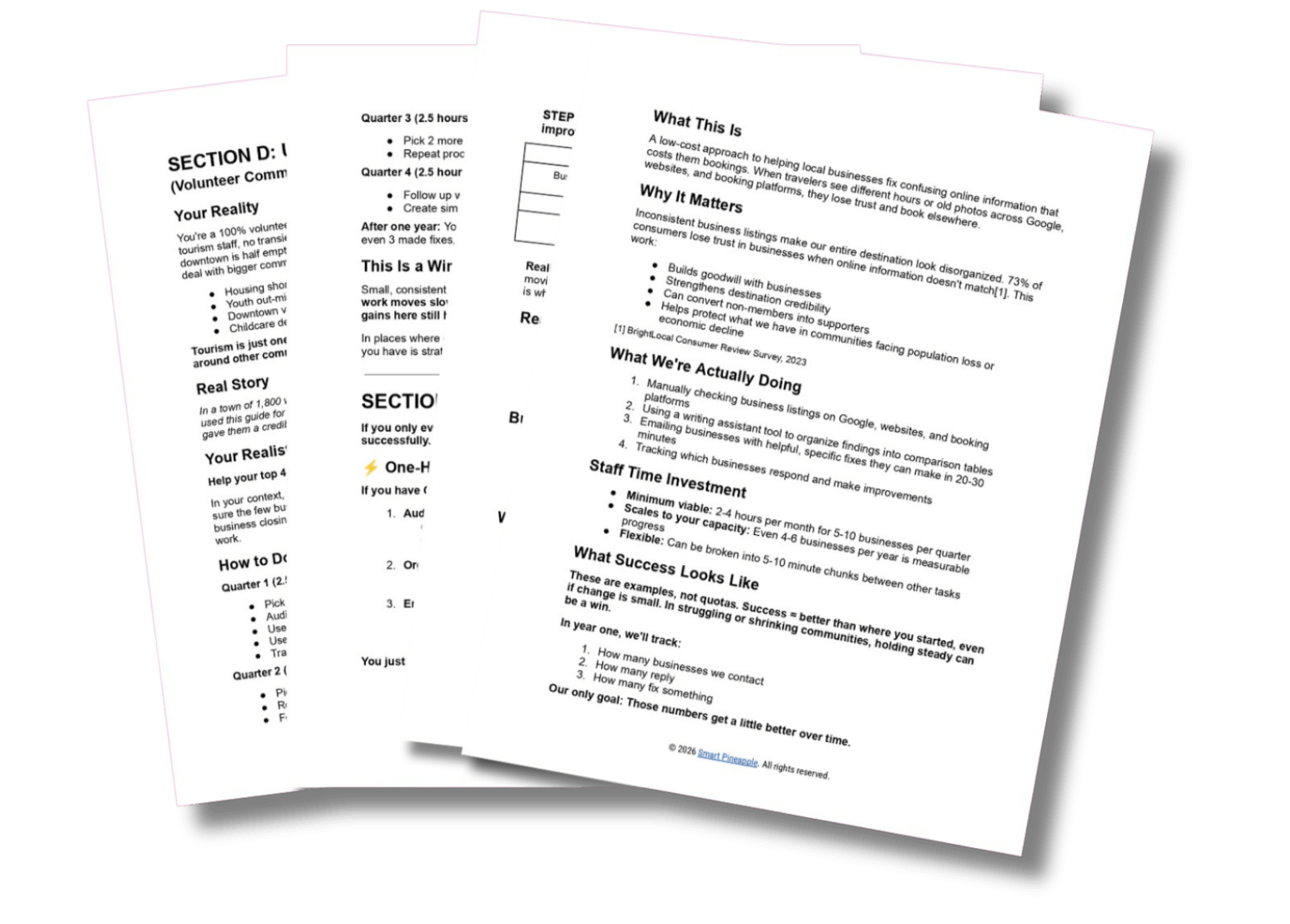
Download: AI Prompts for Destination Information Consistency →
You run a chamber with no marketing staff. Or you volunteer on a tourism committee that meets once a month. You handle ribbon cuttings, the annual festival, member retention, the website, and the things nobody else will do. Tourism is one responsibility among twelve.
You’ve opened ChatGPT once or twice. To summarize meeting notes. To draft a proclamation.
Here’s what the first ten minutes look like.
You pick one business. The café on Main Street. You open Google and copy their hours. Then you check their website. You paste both into ChatGPT or Claude, along with the first prompt from the guide. ChatGPT returns a side-by-side table: Google says closed Sundays. The website says 12-5pm. Phone number matches. Photos don’t. Below the table, a short email ready to edit.
That email:
“Hi Tom, I noticed your Google listing shows you’re closed Sundays, but your website says 12-5pm. Travelers check both. Might be worth a quick update. Let me know if you need a hand.”
Ten minutes. One business. One email that sounds like you wrote it.
Tom from the hardware store sits two seats down at Rotary. You send him a robotic email. He mentions it. You hear about it for months.
The prompts produce drafts that sound like a neighbor checking in. You read them before sending. You change words. You add a sentence about his new granddaughter. Personalize it. The draft is a starting point. You finish it.
Sometimes Tom doesn’t respond. That’s normal. The guide includes a short follow-up prompt. You send it. If there’s still no reply, you move on to the café next door.
A volunteer committee in a town of 1,800 used two prompts from this guide. They audited their main inn and downtown art gallery. Total time for the quarter: under an hour. Both businesses updated their listings. That gave the committee a credible story for their next grant application.
What you actually get (quickly):
Six prompts you copy and paste. One for auditing businesses. One for outreach emails. One for seasonal checklists. One for board reports. The last two cover business owner handouts and review responses.
A one-page handout for business owners. No mention of AI, so you skip that conversation. A 10-minute checklist they can do themselves. You print it. You hand it to restaurant owners. They fix their own Google listing without asking you for help.
A version for committees with 10 hours per year. Four to six businesses. That’s a successful year.
Safety checklists. What to delete. What to verify. What never to let AI guess about.
The guide is longer than you need. Start with page 8, Prompt 1. That’s the only prompt you need this month.
The guide assumes you have one hour per month. Break that into 10-minute chunks between phone calls. Skip weeks when the council meeting runs long. Come back to it when you can. The audit you did in March still applies in June.
When you don’t click through, here’s what you can do this week:
Pick one business. Your most-visited restaurant or main lodging property.
Google their name plus your town.
Compare the hours Google shows to the hours on their website.
Write down the mismatch.
Send a two-sentence email: “Hey, noticed your Google hours don’t match your website. Might confuse visitors. Want help fixing it?”
That’s the whole method. The guide gives you prompts that organize the work faster. The steps are the same.
Reply and tell me what you tried. Or what got in the way.
Know another chamber director or tourism volunteer who could use this? Forward it along.
Kay
Timely! So smart, what else can AI do?